

Get your perfect schedule, hassle-free and hands-free.
A Chrome extension for USC students. For Trojans, by a Trojan ✌️

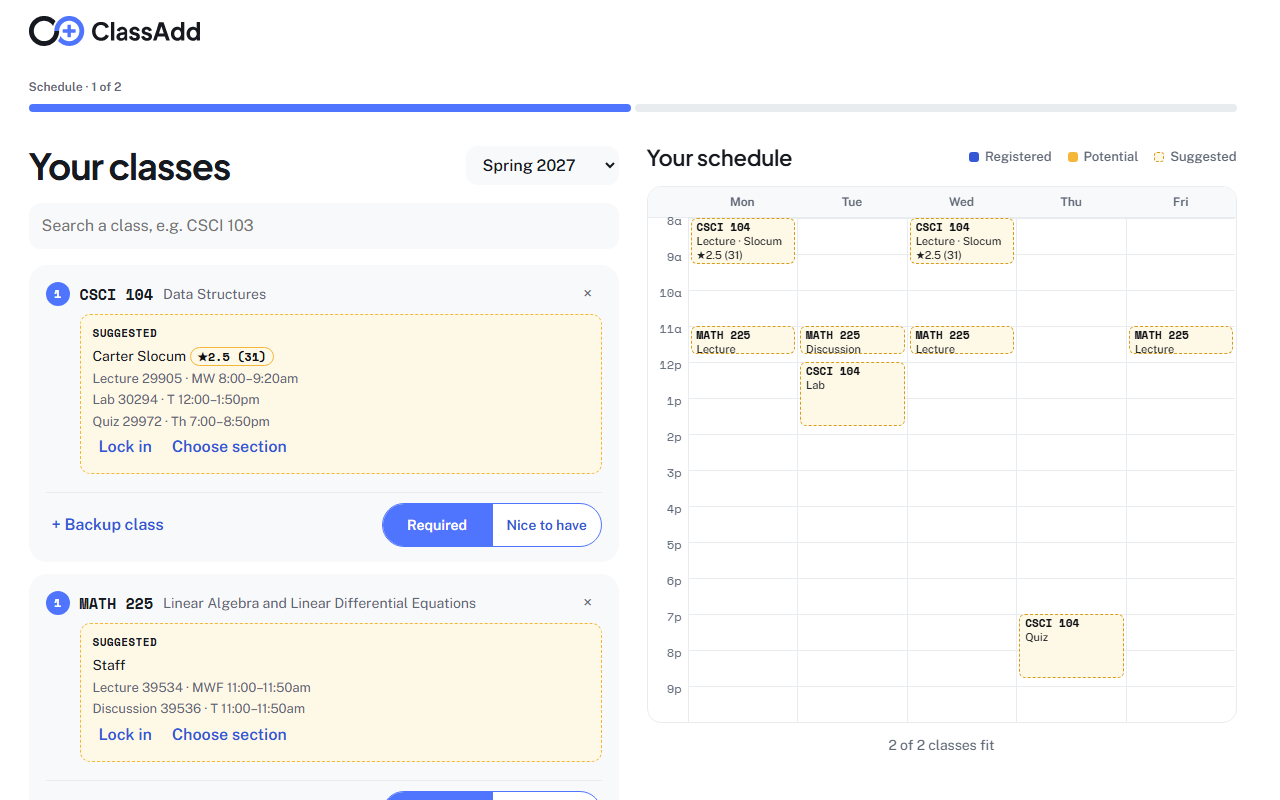
Plan your week with backups.
Pick classes, rank backups, choose exact sections.
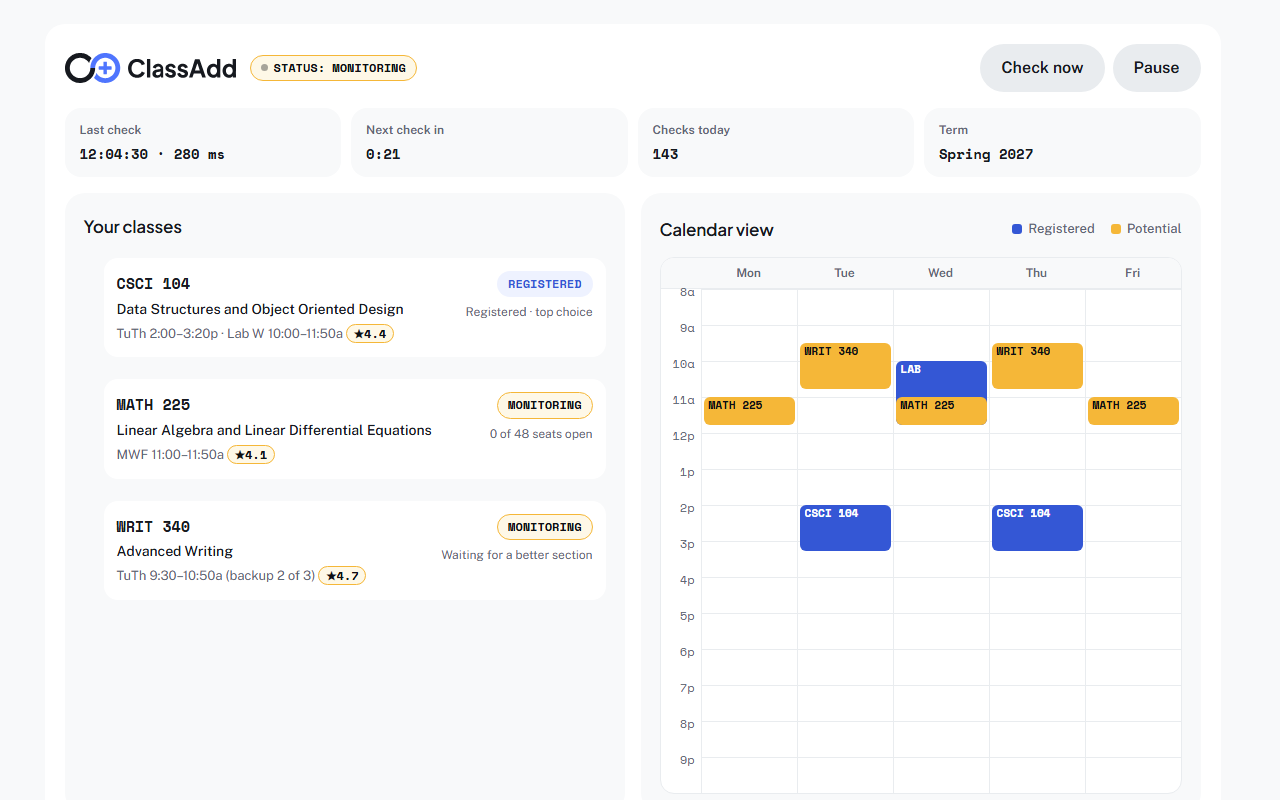

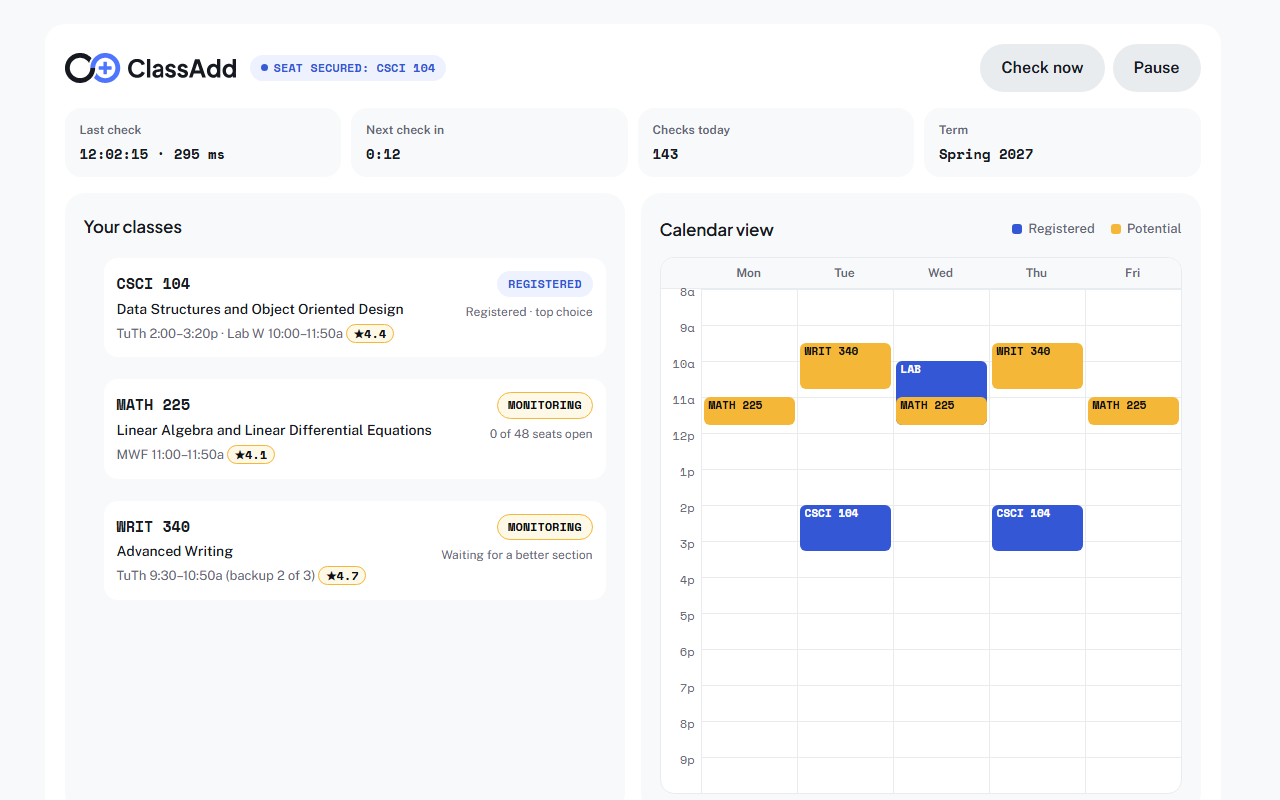
Manual and Auto. You choose.
Manual
The starting mode. ClassAdd watches USC’s public class data and emails you when a seat opens in your plan. It never contacts WebReg.
Auto
You turn it on yourself. When a seat opens, ClassAdd automatically registers you and notifies you.
What you need
Chrome on a computer
Not a phone.
An awake computer
Plugged in, sleep set to Never. Chrome stays open.
Your WebReg login
You sign in yourself, with Duo.
Private by design
No account, no server
Your plan stays in Chrome on your computer.
Your password stays with USC
ClassAdd never sees it.
Gmail is send-only
ClassAdd can email you. It cannot read your inbox. Privacy policy
Support
FAQs
Not for watching WebReg, which needs Chrome on a computer. Email alerts do reach your phone.
RateMyProfessors. Each rating links to the professor’s page.
ClassAdd was born because I once fucked up my class schedule so badly that I had to code a script to automatically add classes for me when seats became open. Miraculously, it transformed my entire schedule to exactly what I wanted. I realized this could save a lot of students in a pickle (like myself at the time) so I built ClassAdd to share the wealth.